Your local services, on the public internet.
Expose anything running on your machines — web apps, SSH, game servers — through a secure Cloud2Hide tunnel. One command, automatic TLS, and a firewall you control.
No credit card to try the Free plan. EU-FI region.
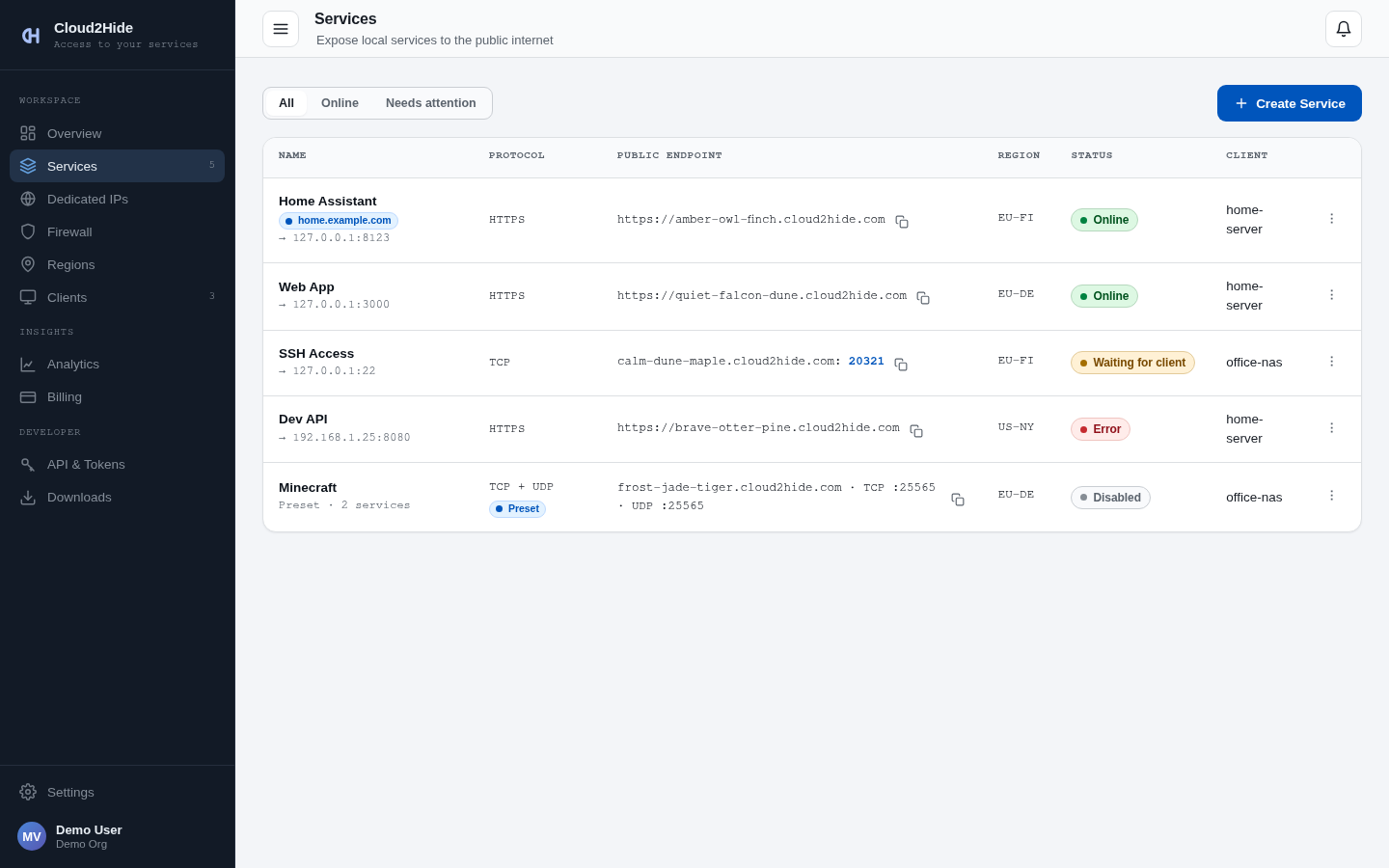
No open ports on your router. No static IP. No config files to babysit.
Features
Any protocol
HTTPS with automatic TLS, raw TCP and UDP — one name for all of them. Minecraft, SSH, web apps: same setup.
Built-in firewall
Public, your IP only, or a whitelist of IPs and tracked devices. Basic Auth on top when you need it.
Dedicated IPs
Reserve your own public address in a Region and route ports straight to your services.
Traffic analytics
Per-service traffic charts, top consumers and plan usage — always know what's flowing.
Connection logs
Who connected, when, how much moved. Live viewer in the dashboard, CSV/JSON export for your own tooling.
Security built in
Two-factor authentication, hashed API tokens, email alerts for failed logins and traffic thresholds.
Setup
Install the client
Linux, macOS, Windows.
curl -fsSL https://get.cloud2hide.com | shConnect with a token
Create a client in the dashboard, run the one-time command.
c2h connect --token c2h_client_…Go public
Create a Service. TLS handled, firewall up.
dog-red-running.cloud2hide.comPricing
All prices are net; tax is added where applicable.
| Plan | Price | Services | Traffic | Logs | At the limit |
|---|---|---|---|---|---|
| Free | $0 | 1 | 1 GB/mo | 1 day | Hard stop |
| Pro | $9.90/mo | 10 | 10 GB/mo | 5 days | $0.10/GB overage |
| Premium | $24.90/mo | 25 | 30 GB/mo | 10 days + 30-day archive | $0.10/GB overage |
Add-on: Dedicated IP — $9.90/mo
Card payments are processed by Stripe or, for EU consumers, Paddle (merchant of record). Bitcoin and prepaid credits are available in the console.
Frequently asked questions
How is this different from port forwarding?
Can I run it next to my existing WireGuard/VPN setup?
What happens when I hit the traffic limit?
Do you see my traffic?
Where are the servers?
Can I use my own domain?
How is traffic encrypted?
Can I cancel anytime?
Downloads
curl -fsSL https://get.cloud2hide.com | shbrew install c2hwinget install Cloud2Hide.C2Hc2h-tracker connect --token c2h_track_…